
RECENT POSTS
October 2026
Why an Office Chair is the perfect Christmas gift?
What Is the Best Desk Lamp for Working From Home?
September 2026
How to Choose an Office Chair for Working From Home?
How to Celebrate Halloween in the Office? Decorations, Games and Costume Ideas
August 2026
A4 vs A3 Paper: Which Paper Does Your Office Actually Need?
5 Tips For Improving Employee Wellbeing
July 2026
Heading Back to the Office? Your Complete Return-to-Work Checklist
How to Choose a Height Adjustable Desk?
June 2026
What Do Kids Need for Back to School?
May 2026
How to Set Up an Office Canteen?
April 2026
The Main Difference Between Inkjet and Laser Printers
March 2026
How to Choose the Right Paper Shredder for Your Small Office?
Feb 2026
What Are the Popular Sustainable Office Supplies in Ireland?
March 2025
Celebrate International Cleaning Week: A fresh start for your office
February 2024
The Ultimate Guide to Lever Arch Files
January 2024
The Importance of First Aid in the Office
August 2022
Things to do Before you go Out of Office
June 2022
Office Games and Team Building
March 2022
January 2022
September 2021
There Is Nothing Like a Physical Diary
August 2021
Office Walls That Work For You
July 2021
How To Cope With Heat In The Office
June 2021
Clean Air Helps Prevent Office Illness
April 2021
The Slow and Steady Return to the Office
December 2020
Things to do before you close for Christmas
November 2020
Why an Office Chair is the perfect Christmas gift
October 2020
How to Work from Home Successfully
How Important is Face to Face Communication in Business?
September 2020
July 2020
What office comforts do you miss the most?
June 2020
Father's Day Office Gift Ideas
Three Facts Every Coffee Drinker Should Know
May 2020
The Importance of Having the Right Office Supplies for Homeworking
April 2020
The Three Best Free Video Conferencing Apps
Time to do some spring cleaning
Donating to Charity During Covid-19
March 2020
Office Prevention for COVID-19
February 2020
Why You Should Be Allowed Bring Your Pet To Work
January 2020
5 Ice Breakers You Could Use In Your Next Meeting
Beat the January Blues this year
December 2019
Why you should decorate your office this Christmas
November 2019
Dealing With Monday Morning Blues
Stress Management In The Workplace
October 2019
The Key to Effective Presentations
5 receptionist skills that can affect the entire company
September 2019
Get Some Exercise In to Your Work Day
How to Win at Being a Working Parent
Basic Starter Guide to Packaging
Swap Ideas Day Workspace Setup
August 2019
Three Leadership Styles and One to Avoid
The importance of taking a break
5 Quick tips for a safer workplace
July 2019
Paper might be the most-used product in any office, yet it's the one most people buy without a second thought. Grab a ream, load the tray, done but if you've ever printed a report that felt flimsy, watched photos come out dull, or wondered why the paper jammed halfway through a big print run, the paper itself was probably the culprit.
The truth is there's no single "best" office paper it depends entirely on what you're printing and which printer you're feeding. Get it right and everything runs smoother, looks sharper and often costs less. So before your next restock, Low Cost Office breaks down A4, A3 and specialist paper what each is for, and how to pick the one your office actually needs.
What Does GSM Mean?
Before we get to sizes, it helps to understand the number you'll see on every pack, GSM, or grams per square metre. It measures the weight and thickness of the paper the higher the GSM, the heavier and sturdier the sheet.
Here's a quick sense of the scale:
- 80gsm - The everyday workhorse. Ideal for internal documents, printing, copying and general office use. It's the most popular weight because it balances quality and cost beautifully.
- 90–100gsm - A step up in feel. Good for letterheads, client-facing reports and documents you want to make an impression with.
- 120–160gsm - Noticeably premium and substantial. Suited to presentations, covers and marketing material.
- 160gsm and above - This is card territory, used for business cards, invitations, folders and anything that needs to stand on its own.
Most offices run on 80gsm for day-to-day work and keep a heavier weight on hand for the documents that matter. You'll find the full range across the paper and card section.
A4 or A3: Which Paper Is Right for Your Office?
| Feature | A4 Paper | A3 Paper |
|---|---|---|
| Size | 210 × 297mm | 297 × 420mm (twice A4) |
| Best for | Letters, invoices, reports, contracts, everyday printing | Posters, spreadsheets, plans, booklets, signage, presentations |
| Typical use | Daily office documents | Large-format & high-impact jobs |
| Printer needs | Works in almost any printer or copier | Requires an A3-capable printer |
| Handy to know | Bulk-buy by the box for the best cost-per-sheet | Print two A4 pages per sheet to make booklets |
| Shop | Plain Paper | Printers & Scanners |
A4 Paper: The Office Standard
A4 (210 × 297mm) is the paper you picture when someone says "printer paper." It's the default for virtually everything: letters, invoices, reports, contracts, forms and everyday printing. If your office only ever bought one type of paper, this would be it.
Because it's used in such volume, A4 is where bulk buying pays off most. Ordering by the box rather than the ream brings the cost-per-sheet right down, and it means you're never caught short mid-week. Multipurpose 80gsm A4 works in almost any printer or copier inkjet, laser or multifunction which is exactly why it's the biggest seller.
What Is A4 Paper Used For?
- Letters, memos and everyday correspondence
- Invoices, contracts and forms
- Reports and internal documents
- General office printing and copying
For all of the above, everyday plain paper in 80gsm is the reliable, cost-effective choice and buying it by the box keeps your office stocked for less.
A3 Paper: The Large-Format Visual

A3 (297 × 420mm) is exactly twice the size of A4, and that extra real estate makes it the go-to for anything that needs more space or more impact. Think posters, spreadsheets and technical drawings, presentations, menus, plans and signage.
There's a handy trick worth knowing, too: A3 is perfect for creating A4 booklets. Print two A4 pages side by side on an A3 sheet, fold it, and you've got a professional booklet most printers do this automatically with a "booklet" setting. It's a simple way to produce brochures and handouts in-house without sending them off to a print shop.
Just make sure your printer supports A3 before you stock up not every office machine does. If yours doesn't, it might be worth browsing the printers and scanners range for an A3-capable model, or reading the printer buying guide to see whether an upgrade makes sense.
What Is A3 Paper Used For?
- Posters, signage and notices
- Large spreadsheets and technical drawings
- Plans, maps and architectural layouts
- Menus, brochures and folded A4 booklets
- Presentations and high-impact visuals
Just remember not every printer handles A3, so check yours can or find one that does in the printers and scanners range.
How to Choose the Right Paper for Your Office?
It comes down to three simple questions:
-
What are you printing?
Everyday documents run perfectly on A4 80gsm, like the best-selling 5 Star A4 Copier Paper 75gsm or HP White Office A4 80gsm. Client-facing work reports, proposals, CVs deserves a heavier sheet such as Xerox Premier A4 100gsm. Large formats or booklets need A3, like the Xerox Performer A3 80gsm.
-
Which printer are you feeding?
Check it handles the size and paper type you need, as A3 and coated papers won't work in every machine. Inkjet and laser have different requirements too, so if you're due an upgrade, compare options across the printers and scanners range.
-
How much do you get through?
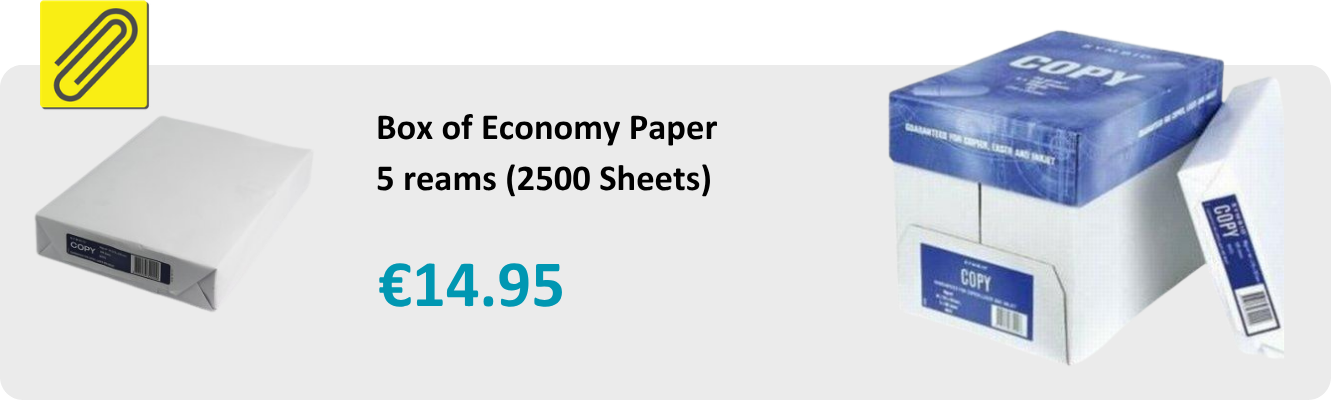
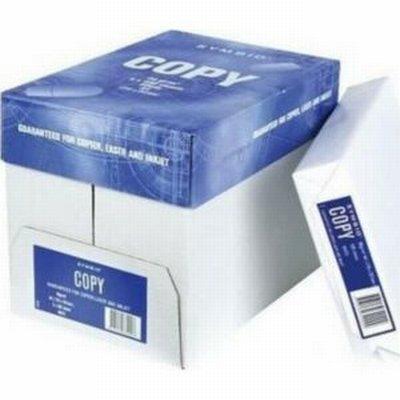
High-volume offices save the most by buying A4 in bulk by the box the Symbio Copy A4 box of 2,500 sheets is one of the best value options while specialist papers are best kept in smaller amounts for the jobs that need them.
Get those three right and you'll rarely think about paper again which is exactly how it should be. And while you're restocking, it's a good moment to check your ink and toner levels too, so a busy print run never grinds to a halt.
How Much Paper Should Your Office Buy?
Buying the right quantity saves money and stops you running dry mid-week. A few pointers to get it right:
- Estimate your usage first a small office of 5–10 people typically gets through a box of 2,500 sheets every few weeks, while busy print-heavy teams will use far more.
- Buy A4 by the box, not the ream bulk options like the Symbio Copy A4 (2,500 sheets) or 5 Star A4 Copier Paper bring the cost-per-sheet right down and mean fewer reorders.
- Choose a recycled option if sustainability matters everyday recycled sheets like Evolution Everyday or Q-Connect Recycled A4 work just as well for day-to-day printing.
- Keep a spare box on hand running out mid-print is the one avoidable office headache; a backup box of A4 copier paper saves the day.
- Don't over-stock specialist paper photo, coloured and heavier stock from the specialist papers range are best bought in smaller amounts for the specific jobs that need them.
- Store it properly keep paper flat, dry and away from damp so it feeds cleanly and doesn't jam.
While you're restocking, it's the perfect moment to top up your ink and toner too, so a busy print run never grinds to a halt halfway through and if you're due a machine upgrade, compare the printers and scanners range at the same time.
Whether it's a box of everyday A4, A3 for your next big print, or specialist paper for a job that needs to shine, you'll find it all at the right price at Low Cost Office, with fast nationwide delivery.
Frequently Asked Questions
1. Can I use A3 paper in a normal printer?
Only if your printer specifically supports A3. Many standard office and home printers are A4-only, so check the specification before buying. If you regularly need A3, an A3-capable model from the printers and scanners range is a worthwhile investment.
2. What's the difference between inkjet and laser paper?
Inkjet paper is more absorbent to stop ink smudging, while laser paper is designed to withstand the heat used in laser printing without curling. Multipurpose paper works fine in both for everyday documents, but for the best results, match the paper to your printer type.
3. Is bulk-buying office paper cheaper?
Yes, buying A4 by the box rather than single reams lowers the cost per sheet noticeably and means you always have stock on hand. It's the single easiest way to cut your paper spend, especially for high-volume offices.
4. What paper should I use for printing photos?
Use dedicated photo paper, in glossy or matte finish, matched to your printer type. Its special coating holds ink sharply for vivid, professional results that plain paper can't match.
Paper might be the most-used product in any office, yet it's the one most people buy without a second thought. Grab a ream, load the tray, done but if you've ever printed a report that felt flimsy, watched photos come out dull, or wondered why the paper jammed halfway through a big print run, the paper itself was probably the culprit.
The truth is there's no single "best" office paper it depends entirely on what you're printing and which printer you're feeding. Get it right and everything runs smoother, looks sharper and often costs less. So before your next restock, Low Cost Office breaks down A4, A3 and specialist paper what each is for, and how to pick the one your office actually needs.
What Does GSM Mean?
Before we get to sizes, it helps to understand the number you'll see on every pack, GSM, or grams per square metre. It measures the weight and thickness of the paper the higher the GSM, the heavier and sturdier the sheet.
Here's a quick sense of the scale:
- 80gsm - The everyday workhorse. Ideal for internal documents, printing, copying and general office use. It's the most popular weight because it balances quality and cost beautifully.
- 90–100gsm - A step up in feel. Good for letterheads, client-facing reports and documents you want to make an impression with.
- 120–160gsm - Noticeably premium and substantial. Suited to presentations, covers and marketing material.
- 160gsm and above - This is card territory, used for business cards, invitations, folders and anything that needs to stand on its own.
Most offices run on 80gsm for day-to-day work and keep a heavier weight on hand for the documents that matter. You'll find the full range across the paper and card section.
A4 or A3: Which Paper Is Right for Your Office?
| Feature | A4 Paper | A3 Paper |
|---|---|---|
| Size | 210 × 297mm | 297 × 420mm (twice A4) |
| Best for | Letters, invoices, reports, contracts, everyday printing | Posters, spreadsheets, plans, booklets, signage, presentations |
| Typical use | Daily office documents | Large-format & high-impact jobs |
| Printer needs | Works in almost any printer or copier | Requires an A3-capable printer |
| Handy to know | Bulk-buy by the box for the best cost-per-sheet | Print two A4 pages per sheet to make booklets |
| Shop | Plain Paper | Printers & Scanners |
A4 Paper: The Office Standard
A4 (210 × 297mm) is the paper you picture when someone says "printer paper." It's the default for virtually everything: letters, invoices, reports, contracts, forms and everyday printing. If your office only ever bought one type of paper, this would be it.
Because it's used in such volume, A4 is where bulk buying pays off most. Ordering by the box rather than the ream brings the cost-per-sheet right down, and it means you're never caught short mid-week. Multipurpose 80gsm A4 works in almost any printer or copier inkjet, laser or multifunction which is exactly why it's the biggest seller.
What Is A4 Paper Used For?
- Letters, memos and everyday correspondence
- Invoices, contracts and forms
- Reports and internal documents
- General office printing and copying
For all of the above, everyday plain paper in 80gsm is the reliable, cost-effective choice and buying it by the box keeps your office stocked for less.
A3 Paper: The Large-Format Visual
A3 (297 × 420mm) is exactly twice the size of A4, and that extra real estate makes it the go-to for anything that needs more space or more impact. Think posters, spreadsheets and technical drawings, presentations, menus, plans and signage.
There's a handy trick worth knowing, too: A3 is perfect for creating A4 booklets. Print two A4 pages side by side on an A3 sheet, fold it, and you've got a professional booklet most printers do this automatically with a "booklet" setting. It's a simple way to produce brochures and handouts in-house without sending them off to a print shop.
Just make sure your printer supports A3 before you stock up not every office machine does. If yours doesn't, it might be worth browsing the printers and scanners range for an A3-capable model, or reading the printer buying guide to see whether an upgrade makes sense.
What Is A3 Paper Used For?
- Posters, signage and notices
- Large spreadsheets and technical drawings
- Plans, maps and architectural layouts
- Menus, brochures and folded A4 booklets
- Presentations and high-impact visuals
Just remember not every printer handles A3, so check yours can or find one that does in the printers and scanners range.
How to Choose the Right Paper for Your Office?
It comes down to three simple questions:
-
What are you printing?
Everyday documents run perfectly on A4 80gsm, like the best-selling 5 Star A4 Copier Paper 75gsm or HP White Office A4 80gsm. Client-facing work reports, proposals, CVs deserves a heavier sheet such as Xerox Premier A4 100gsm. Large formats or booklets need A3, like the Xerox Performer A3 80gsm.
-
Which printer are you feeding?
Check it handles the size and paper type you need, as A3 and coated papers won't work in every machine. Inkjet and laser have different requirements too, so if you're due an upgrade, compare options across the printers and scanners range.
-
How much do you get through?
High-volume offices save the most by buying A4 in bulk by the box the Symbio Copy A4 box of 2,500 sheets is one of the best value options while specialist papers are best kept in smaller amounts for the jobs that need them.
Get those three right and you'll rarely think about paper again which is exactly how it should be. And while you're restocking, it's a good moment to check your ink and toner levels too, so a busy print run never grinds to a halt.
How Much Paper Should Your Office Buy?
Buying the right quantity saves money and stops you running dry mid-week. A few pointers to get it right:
- Estimate your usage first a small office of 5–10 people typically gets through a box of 2,500 sheets every few weeks, while busy print-heavy teams will use far more.
- Buy A4 by the box, not the ream bulk options like the Symbio Copy A4 (2,500 sheets) or 5 Star A4 Copier Paper bring the cost-per-sheet right down and mean fewer reorders.
- Choose a recycled option if sustainability matters everyday recycled sheets like Evolution Everyday or Q-Connect Recycled A4 work just as well for day-to-day printing.
- Keep a spare box on hand running out mid-print is the one avoidable office headache; a backup box of A4 copier paper saves the day.
- Don't over-stock specialist paper photo, coloured and heavier stock from the specialist papers range are best bought in smaller amounts for the specific jobs that need them.
- Store it properly keep paper flat, dry and away from damp so it feeds cleanly and doesn't jam.
While you're restocking, it's the perfect moment to top up your ink and toner too, so a busy print run never grinds to a halt halfway through and if you're due a machine upgrade, compare the printers and scanners range at the same time.
Whether it's a box of everyday A4, A3 for your next big print, or specialist paper for a job that needs to shine, you'll find it all at the right price at Low Cost Office, with fast nationwide delivery.
Frequently Asked Questions
1. Can I use A3 paper in a normal printer?
Only if your printer specifically supports A3. Many standard office and home printers are A4-only, so check the specification before buying. If you regularly need A3, an A3-capable model from the printers and scanners range is a worthwhile investment.
2. What's the difference between inkjet and laser paper?
Inkjet paper is more absorbent to stop ink smudging, while laser paper is designed to withstand the heat used in laser printing without curling. Multipurpose paper works fine in both for everyday documents, but for the best results, match the paper to your printer type.
3. Is bulk-buying office paper cheaper?
Yes, buying A4 by the box rather than single reams lowers the cost per sheet noticeably and means you always have stock on hand. It's the single easiest way to cut your paper spend, especially for high-volume offices.
4. What paper should I use for printing photos?
Use dedicated photo paper, in glossy or matte finish, matched to your printer type. Its special coating holds ink sharply for vivid, professional results that plain paper can't match.
